🎥
6 camera views
Front, rear and side cameras (pillars and repeaters) — every angle, clearly selectable.
Upload your Dashcam and Sentry Mode recordings, play smooth video from all 6 cameras, and keep your drives at hand — no cards, no overwriting.
Actual app preview
Captured from the running application with synthetic demo recordings. These are the same tools available after sign-in.

Review storage stats, upload a complete Tesla event folder, filter by place or date and open any saved event.
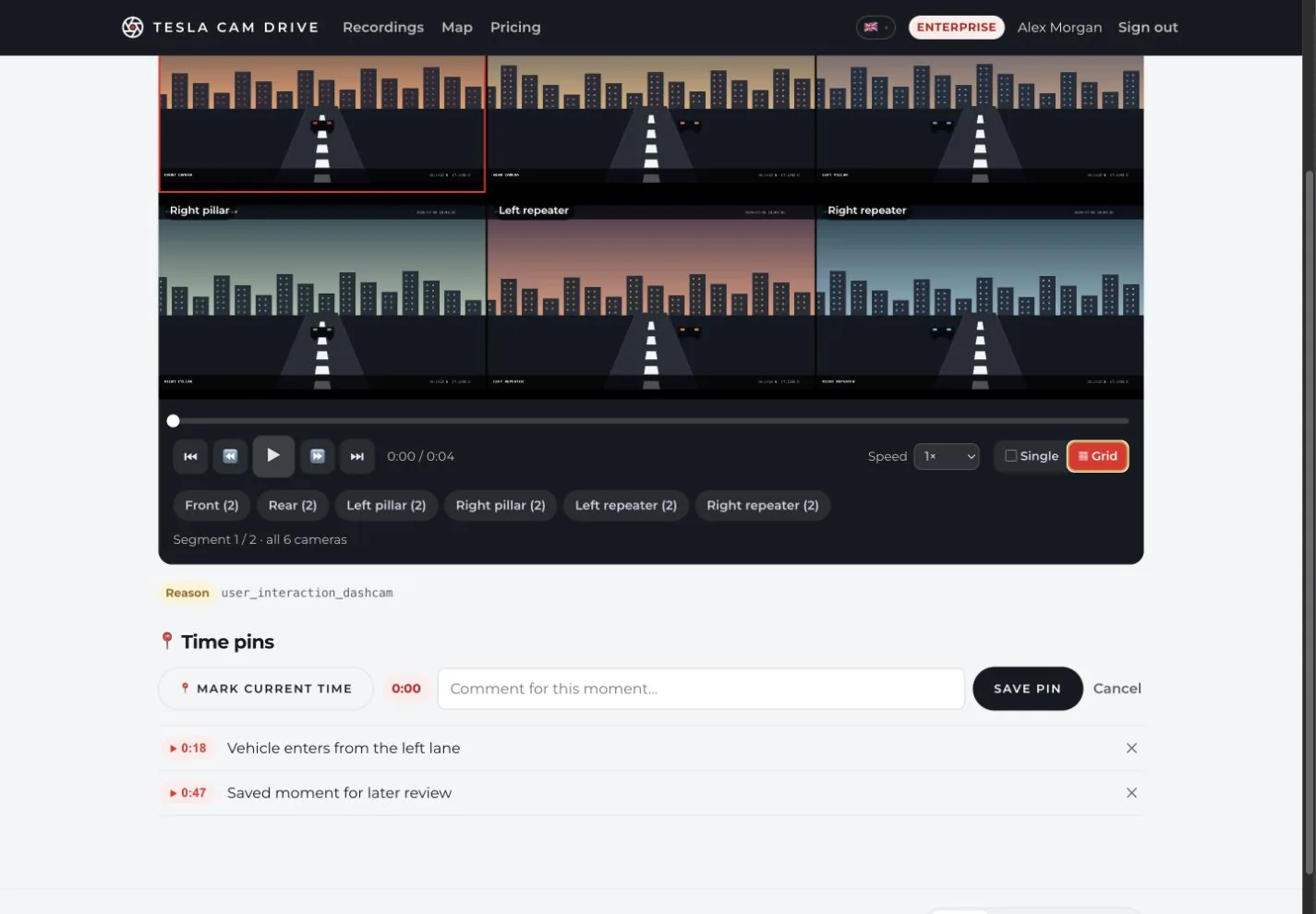
Use synchronised grid playback, switch camera views, move between segments and save time pins for important moments.
The app understands how Tesla stores recordings: event folders, thumbnails, metadata and the per-camera one-minute segments.
Front, rear and side cameras (pillars and repeaters) — every angle, clearly selectable.
We stitch the one-minute clips back to back into a continuous recording that plays like a single drive.
From event.json we read the time, city, street and GPS — so you know exactly where it happened.
Your recordings live in the cloud and are available from anywhere. No more full SD cards.
Every event has its own thumbnail, so you can spot the right recording at a glance.
Only your account can access your recordings. Passwords are stored securely and traffic is encrypted.
Tesla Cam Drive helps Tesla owners keep Dashcam and Sentry Mode footage searchable, playable and safe after the in-car SD card or USB drive is cleaned.
Save accident, parking, vandalism or road-trip footage before the car overwrites old clips. The archive keeps the full event together.
Open Sentry Mode recordings from a browser, switch between camera angles and use the metadata to understand when and where the event happened.
The app expects the same files Tesla creates: MP4 camera clips, thumb.png previews and event.json details, so recordings stay organized.
These short answers summarize what Tesla Cam Drive does and when it is useful.
Tesla Cam Drive is cloud storage and an online viewer for Tesla Dashcam and Sentry Mode recordings.
It preserves important Tesla video events before the car overwrites old USB or SD card footage.
It is built for Tesla event folders with MP4 camera clips, thumb.png thumbnails and event.json metadata.
It is for Tesla owners who want to review, archive or share Dashcam and Sentry Mode evidence from all six cameras.
Three steps from SD card to a tidy archive of your drives.
Upload a Tesla event folder (e.g. 2026-05-01_15-34-57) to the app.
We order the clips by time and camera and prepare them for smooth playback.
Watch your drive from every camera, anytime and from any device.
Create an account and keep your Tesla recordings safely in the cloud — the first 14 days are free.